
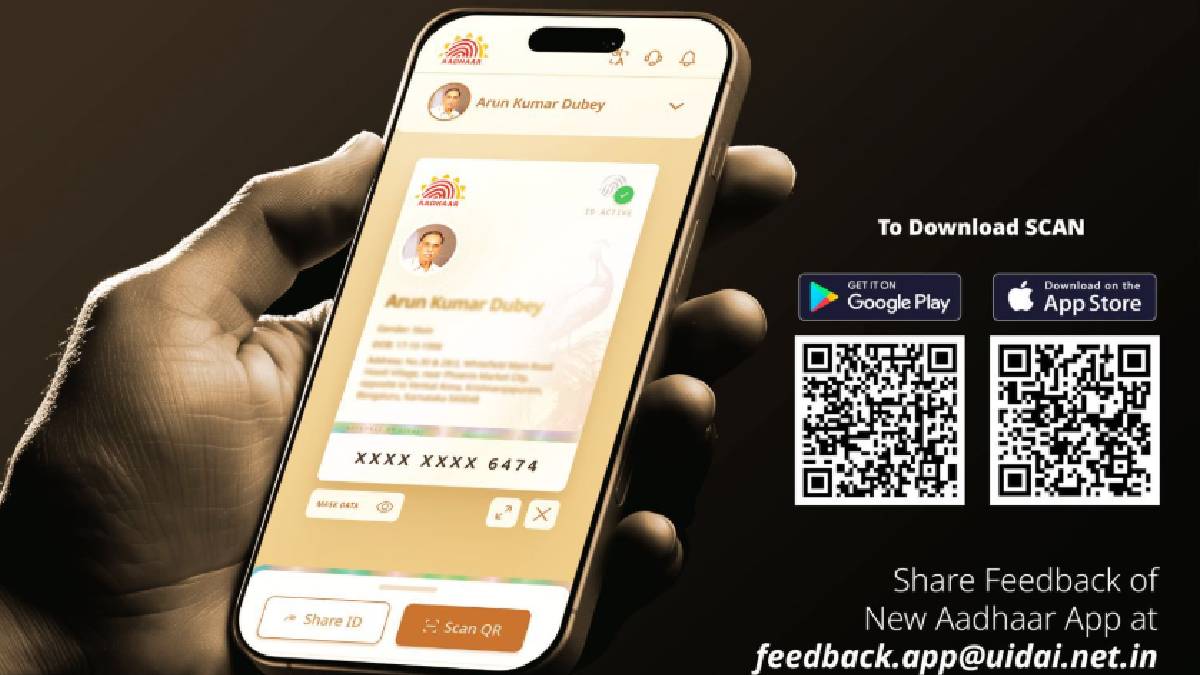
e-Aadhaar app
New e-Aadhaar App:Many of your tasks can be done easily through Aadhaar card and these include everything from financial work to household needs. Be it getting a birth certificate or ration card, opening a bank account or getting an Ayushman card made, Aadhaar card has become very important for all kinds of needs. People need to carry Aadhar card with them but now the government has made such a system that you will not need to carry Aadhar card everywhere. The government has launched a new e-Aadhaar app and you can carry Aadhaar on your smartphone through the e-Aadhaar app.
UIDAI posted on X
The government has launched the e-Aadhaar app and after this you will not need to carry physical Aadhaar everywhere. Regarding this, UIDAI has posted on Twitter in which it has been told that a smart way to carry your digital identity with you has arrived. The new Aadhaar app is your go-to app anytime, anywhere with enhanced security, easy access and a completely paperless experience.
Your digital identity will become more secure
The security of your Aadhar card will become stronger through this e-Aadhar. In this, the last four digits of your Aadhaar card will be shown in the e-Aadhaar app. As far as your date of birth is concerned, only the year will be visible in it. Through this e-Aadhaar app, you are going to get ease for many tasks like QR code, Face ID, digital identity and with the help of this, your digital identity is going to become more secure.
UIDAI has said that Aadhaar card holders will find it easier to maintain Aadhaar information in digital format through this app. Although Indian citizens can already keep the PDF version of their card on their phone or online through DigiLocker, the new app will give users a new user-friendly interface and a two-step process to process Aadhaar details.
Know how to use the new e-Aadhaar app
To use the new e-Aadhaar app, you will first have to download it from Play Store or App Store.
After this you will have to choose your preferred language and enter the 12 digit Aadhaar number in it.
The app will ask you to send OTP through an SMS to your Aadhaar registered mobile number.
When you enter the OTP received through SMS, you will be redirected for face authentication.
When face authentication is complete, you will have to enter a 6 digit password.
After this you will be able to see your Aadhar card on the profile page of the app.
You can do it in mask form, share it and apply biometric lock.
You can follow the same process to add four more Aadhaar profiles to this app.
Read also
Vodafone Idea gave a shock, increased the price of Rs 1999 plan, now you will get an annual plan worth this much