
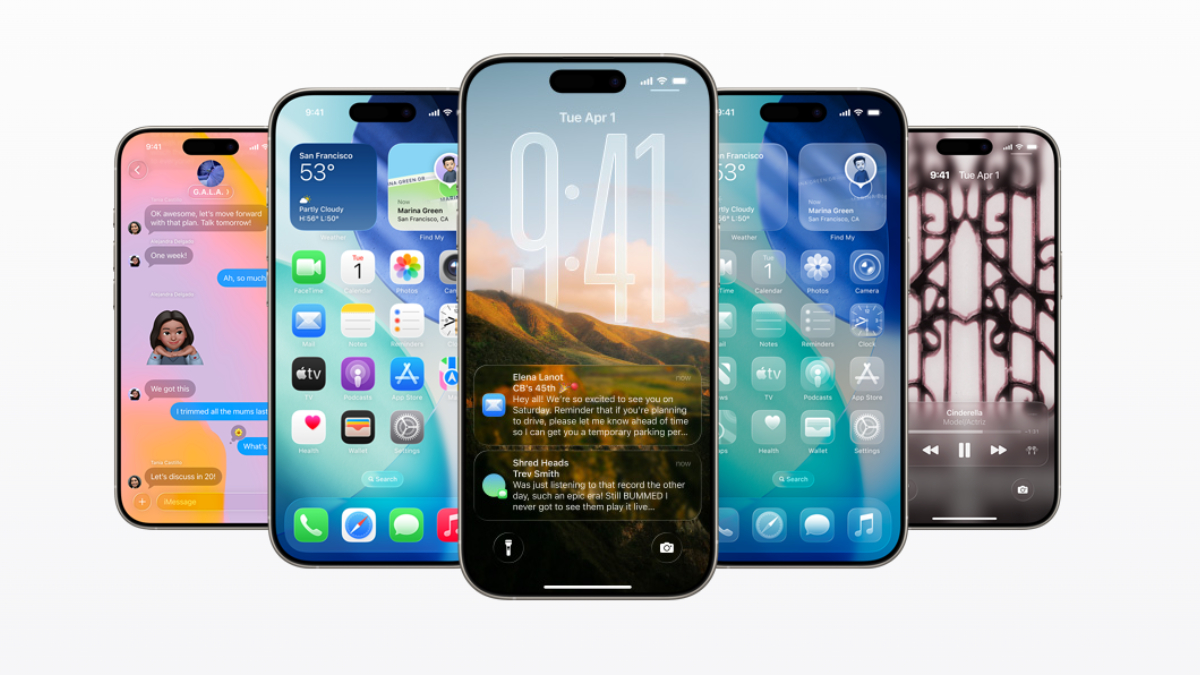
iOS 26.1
Apple has released iOS 26.1 update for iPhone users. This new update will be available in many old models including iPhone 17 from today. This new update is equipped with many new features like Liquid Glass, Lock Screen Swipe, Live Translation, Apple Music Integration. These features will be available in eligible iPhones. Apple has officially announced this. Apple rolled out iOS 26 after the iPhone 17 series launch. Now its new version has been rolled out for iPhone.
You will get these special features
Liquid Glass- The much awaited liquid glass design will be available in this new operating system of Apple. This feature makes the elements visible on the iPhone screen transparent. In this, while switching apps, there will be a glass like transition in the user interface. Users can customize the glass design as per their choice. If they want, they can make the liquid glass more transparent or translucent.
Lock Screen Swipe- The new feature that will be available with iOS 26.1 update is that they can control their lock screen. Now the phone’s camera will not be accidentally turned on when the lock screen is swiped and privacy will remain intact. For this, users can go to Settings and select Lock Screen Swipe to Open Camera in the camera option.
Live Translation- Apple has improved the capabilities of AI i.e. Apple Intelligence in the new update. Now users can use the live translation feature in many more new languages. It will also support Chinese, Japanese and Korean languages. Apart from this, along with the camera, Apple Music can also be controlled with a lock screen swipe. Users will be able to change songs through swipe gestures. At the same time, Live Capture, Fitness, Alarm, Face Time etc. have also been upgraded.
How to download iOS 26.1?
- For this, users will have to go to the settings of the iPhone.
- Here go to General and tap on Software Update.
- Then check the latest update. If an update is available, tap Download and Install.
- After this the new iOS 26.1 update will start downloading.
- After updating, restart the phone and use the new features.
Also read –
Xiaomi became an international disgrace, South Korea’s President raised questions on the security of the phone